聚能惠app怎么清除缓存

 时间:2026-04-21 17:27:41

1、点击我的

打开聚能惠app后,点击【我的】。

聚能惠app怎么清除缓存

2、点击设置图标

进入我的界面,点击页面右上角【设置图标】。

聚能惠app怎么清除缓存

3、点击清除缓存

进入设置界面,点击【清除缓存】。

聚能惠app怎么清除缓存

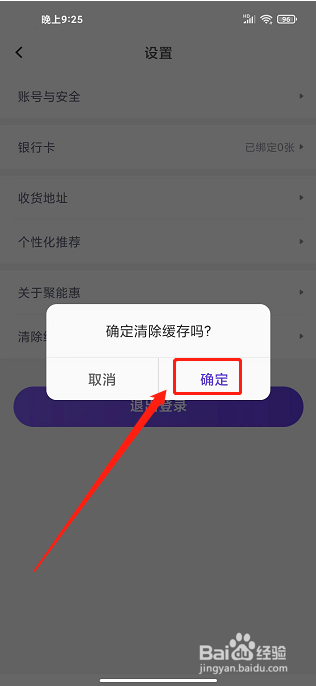
4、点击确定

进入清除缓存界面,点击【确定】。

聚能惠app怎么清除缓存

  • 惠拼购app怎么清除缓存
  • 购物惠app怎么清除缓存
  • 聚优帮app怎么清除缓存
  • 惠家有app怎么清除缓存
  • 惠街app怎么清除缓存
  • 热门搜索
    横线在下面怎么打 有黑头怎么办 刹车油怎么换 蒸鱼豉油怎么用 页脚怎么设置 颈动脉斑块怎么治疗 怎么超频 苹果手机进水怎么办 怎么瘦臀 怎么上youtube