PowerPoint 中如何插入六边形群集

 时间:2026-05-13 10:40:52

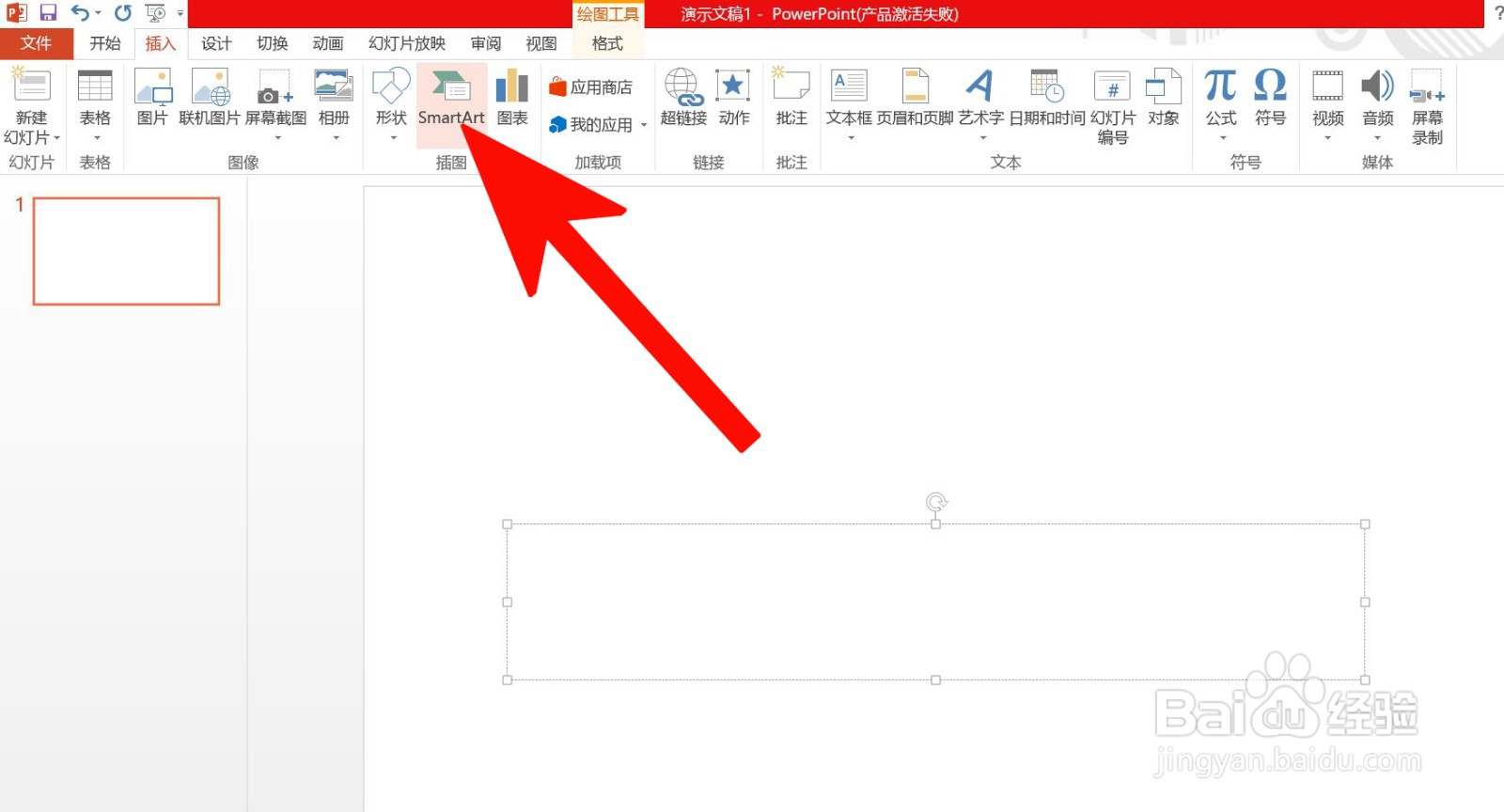
1、第一步、打开PowerPoint 软件中的插入选项。

PowerPoint 中如何插入六边形群集

2、第二步、点击SmartArt。

PowerPoint 中如何插入六边形群集

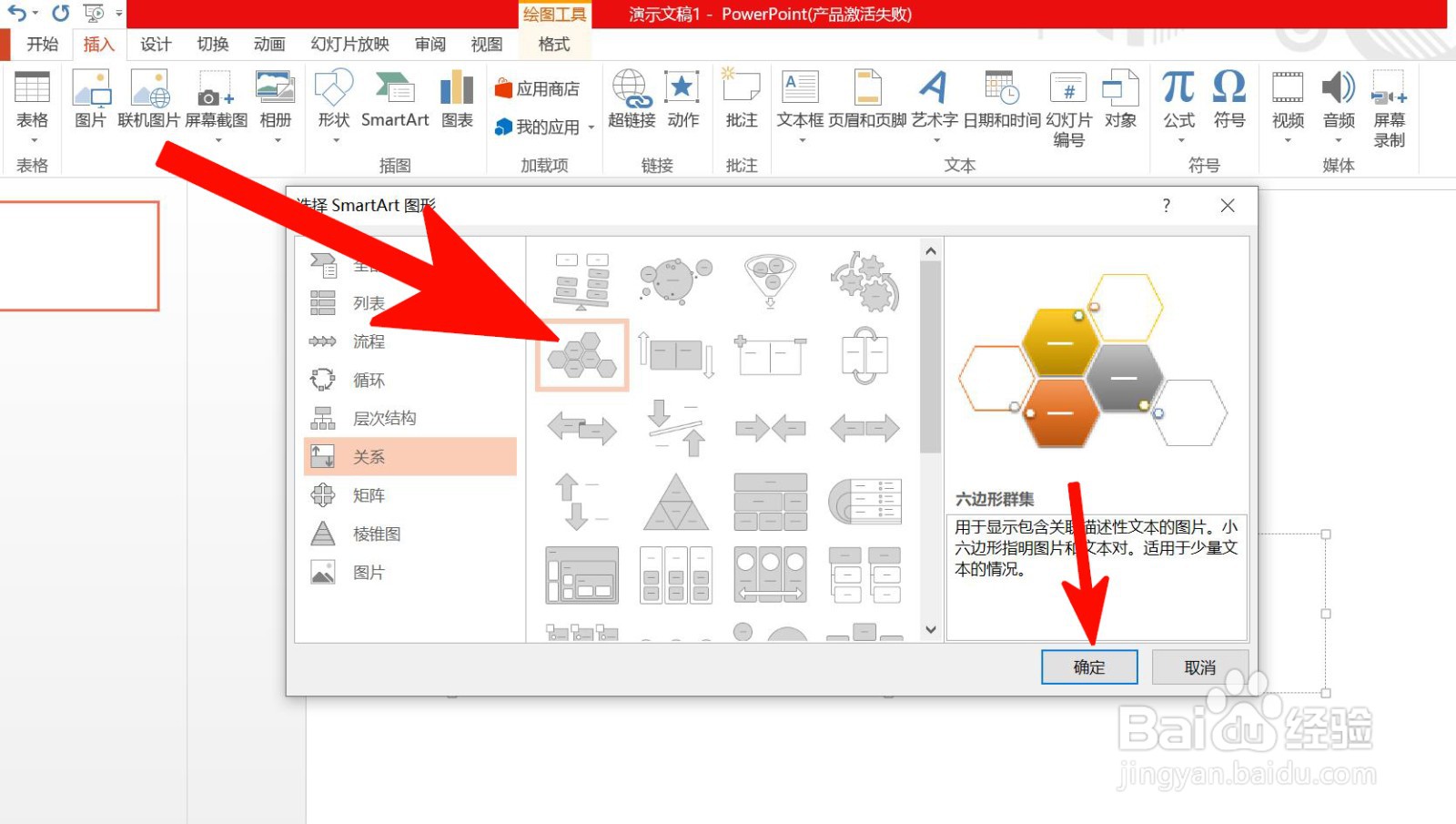
3、第三步、点击关系。

PowerPoint 中如何插入六边形群集

4、第四步、点击六边形群集,然后确定。

PowerPoint 中如何插入六边形群集

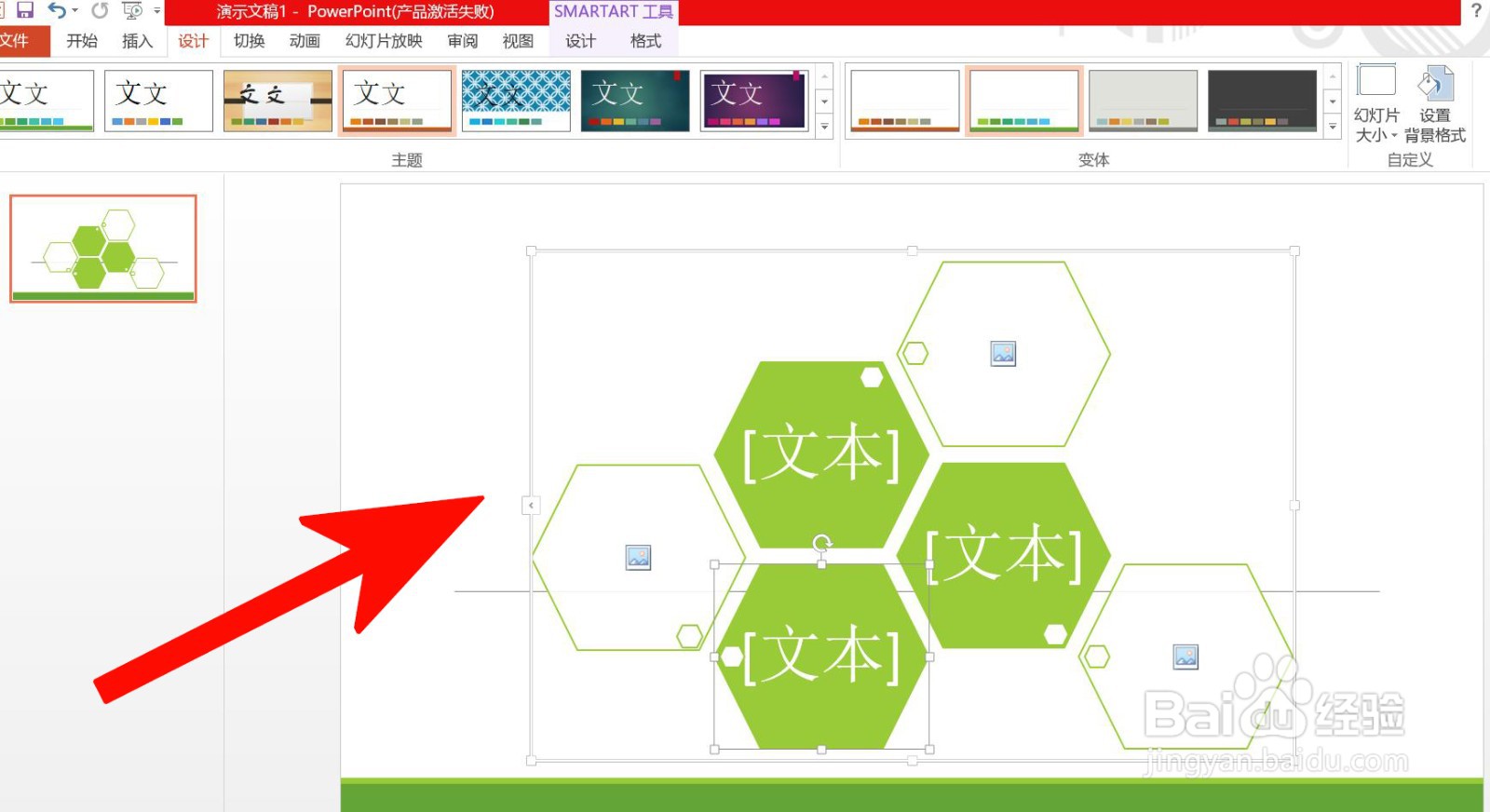
5、第五步、编辑插入后的六边形群集便可完成。

PowerPoint 中如何插入六边形群集

  • PowerPoint 中如何插入平衡
  • PowerPoint中如何制作交替六边形列表图?
  • Word中如何插入六边形群集
  • PowerPoint 中如何插入漏斗
  • PowerPoint 中如何插入齿轮
  • 热门搜索
    大理旅游攻略必去景点 怨宅攻略 减肥操视频大全 坝上草原自驾游攻略 平胸怎么变大胸 男人瘦身减肥方法 野三坡旅游攻略 逆向行驶怎么处罚 中华女子学院怎么样 dnf怎么镶嵌徽章