一点知道
网站首页
美食营养
游戏数码
知识问答
生活家居
健康养生
运动户外
职场理财
情感交际
生活百科
生活知识
考拉海购APP怎么清除缓存
时间:2026-04-25 06:15:42
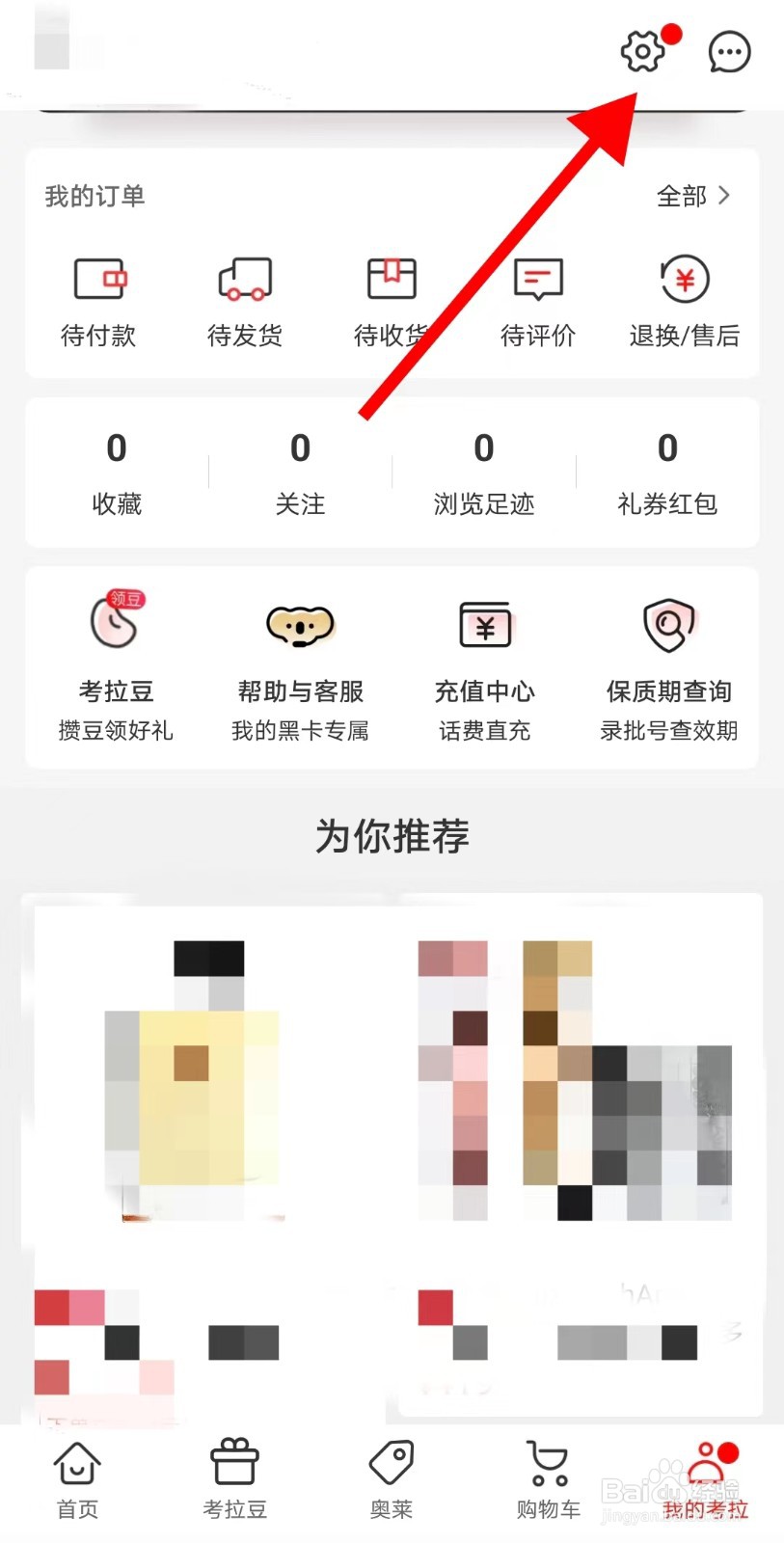
1、首先,在【我的考拉】界面点击【设置】,如下图。
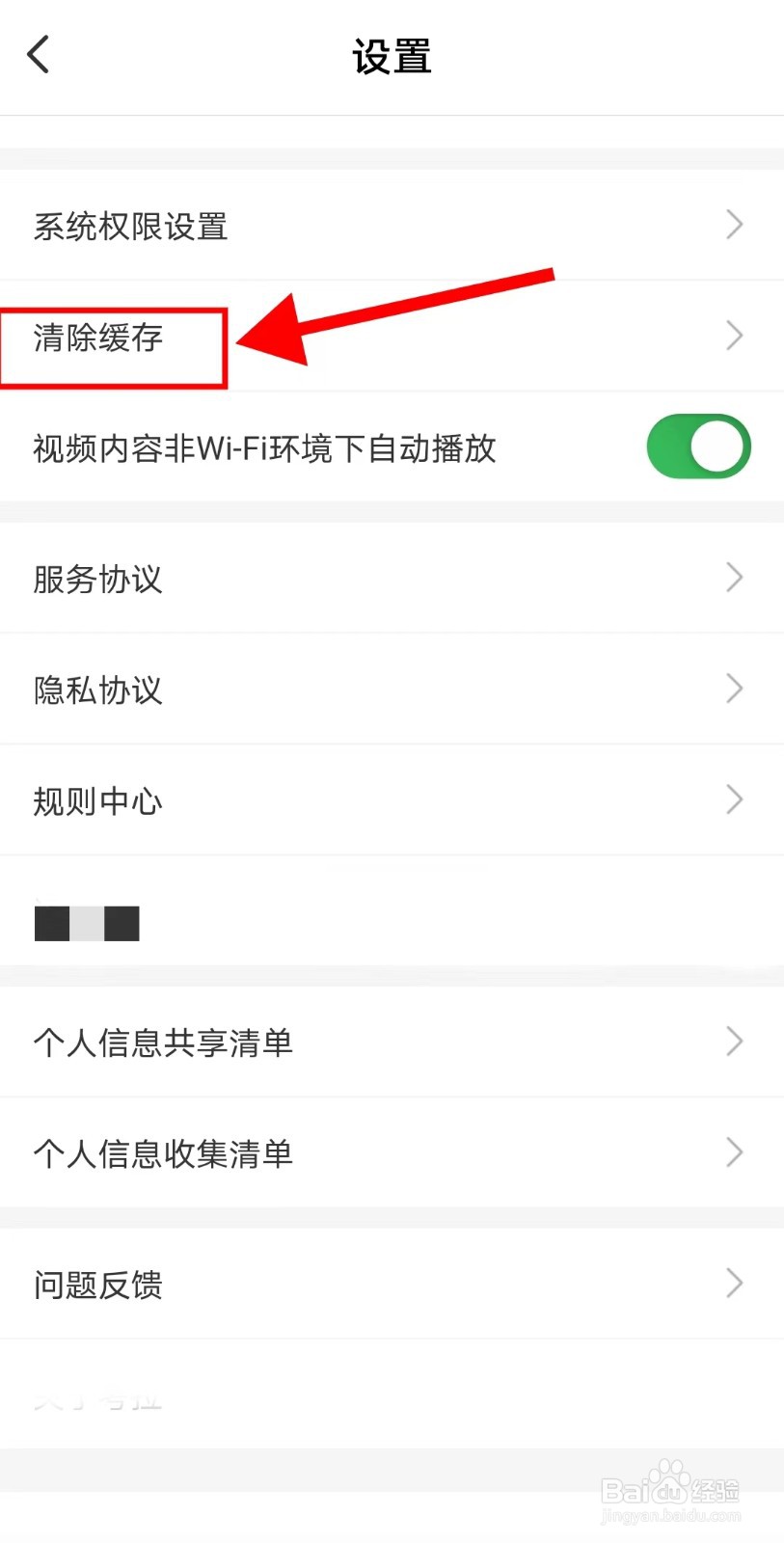
2、然后,在【设置】界面点击【清除缓存】,如下图。
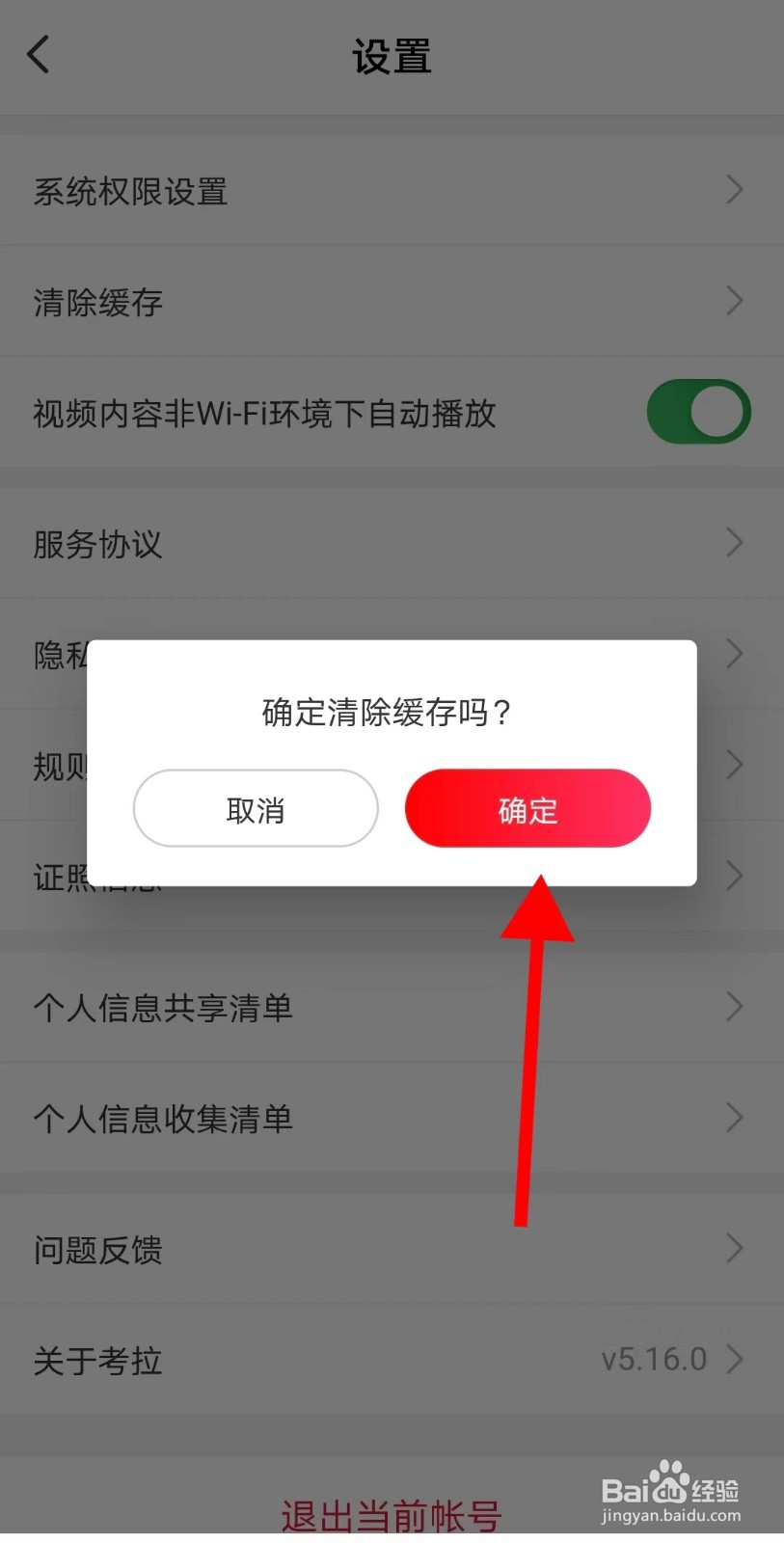
3、最后,在【清除缓存】界面点击确定即可。
考拉海购怎么清除缓存数据
考拉海购怎么清除缓存
考拉海购怎么清除缓存
考拉海购缓存怎样清除
考拉海购怎么清除缓存
热门搜索
朴怎么读
英里和公里怎么换算
炒藕片家常做法
君子兰怎么养
汽车为什么会跑
企业支付宝怎么注册
腋下臭怎么治
怎么念
parents怎么读
陈百强什么原因怎么走的
Copyright © 2026
一点知道
All Rights Reserved 信息来自网络,所有数据仅供参考,有任何疑问请联系站长